Webgpu基础
内容纲要
前两天看了下Api,变化有点大,重新整理下。
初始化
const entry: GPU = navigator.gpu;
if (!entry) {
    throw new Error('WebGPU is not supported on this browser.你类浏览器不支持。')
}
Adapter适配器
Adapter就是显卡,除了N卡还有A卡、高通骁龙的SoC等等。
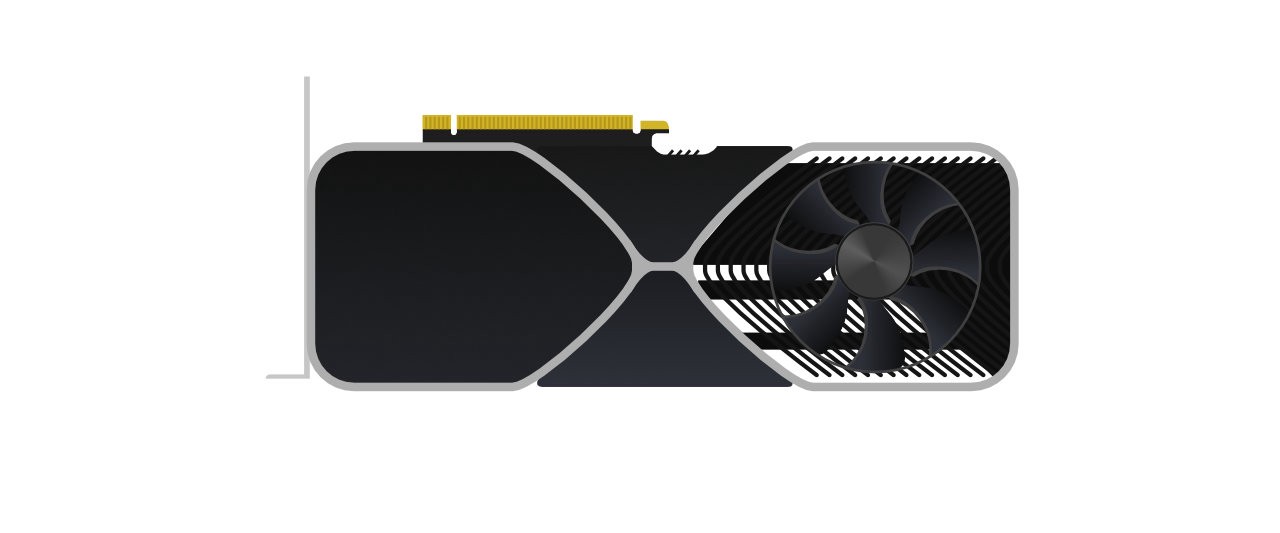
let adapter: GPUAdapter = null;

adapter = await entry.requestAdapter();
Device设备
Device就是逻辑对象化的显卡,可以构建数据结构。

let device: GPUDevice = null;

device = await adapter.requestDevice();
requestDevice方法,允许请求一些显卡的扩展特性,与 WebGL 会通过请求扩展来引入额外的功能类似。
Queue队列
Queue数据结构的队列,异步传给GPU。
let queue: GPUQueue = null;

queue = device.queue;
Swapchain缓冲结构
Swapchain一个缓冲结构。
const context: GPUCanvasContext = null;

context = canvas.getContext('webgpu');

const swapChainDesc: GPUSwapChainDescriptor = {
    device: device,
    format: 'bgra8unorm',
    usage: GPUTextureUsage.OUTPUT_ATTACHMENT | GPUTextureUsage.COPY_SRC
};

context.configure(swapChainDesc);
Frame Buffer Attachments
Frame Buffer Attachments纹理引用。

let depthTexture: GPUTexture = null;
let depthTextureView: GPUTextureView = null;

const depthTextureDesc: GPUTextureDescriptor = {
    size: [canvas.width, canvas.height, 1],
    dimension: '2d',
    format: 'depth24plus-stencil8',
    usage: GPUTextureUsage.RENDER_ATTACHMENT | GPUTextureUsage.COPY_SRC
};
depthTexture = device.createTexture(depthTextureDesc);
depthTextureView = depthTexture.createView();

let colorTexture: GPUTexture = null;
let colorTextureView: GPUTextureView = null;
colorTexture = swapchain.getCurrentTexture();
colorTextureView = colorTexture.createView();
资源
Buffers缓冲器
Buffers可以一次性向着色器传入多个顶点的数据。

const positions = new Float32Array([
    1.0, -1.0, 0.0,
   -1.0, -1.0, 0.0,
    0.0,  1.0, 0.0
]);

const colors = new Float32Array([
    1.0, 0.0, 0.0, // 🔴
    0.0, 1.0, 0.0, // 🟢
    0.0, 0.0, 1.0  // 🔵
]);

const indices = new Uint16Array([ 0, 1, 2 ]);

let positionBuffer: GPUBuffer = null;
let colorBuffer: GPUBuffer = null;
let indexBuffer: GPUBuffer = null;

let createBuffer = (arr: Float32Array | Uint16Array, usage: number) => {

    let desc = { size: ((arr.byteLength + 3) & ~3), usage, mappedAtCreation: true };
    let buffer = device.createBuffer(desc);
    const writeArray =
        arr instanceof Uint16Array ? new Uint16Array(buffer.getMappedRange()) : new Float32Array(buffer.getMappedRange());
    writeArray.set(arr);
    buffer.unmap();
    return buffer;
};
positionBuffer = createBuffer(positions, GPUBufferUsage.VERTEX);
colorBuffer = createBuffer(colors, GPUBufferUsage.VERTEX);
indexBuffer = createBuffer(indices, GPUBufferUsage.INDEX);
Shaders着色器

vertex shader顶点着色器源码
struct VSOut {
    [[builtin(position)]] Position: vec4<f32>;
    [[location(0)]] color: vec3<f32>;
};
[[stage(vertex)]]
fn main([[location(0)]] inPos: vec3<f32>,
        [[location(1)]] inColor: vec3<f32>) -> VSOut {
    var vsOut: VSOut;
    vsOut.Position = vec4<f32>(inPos, 1.0);
    vsOut.color = inColor;
    return vsOut;
}
fragment shader片段着色器源码
[[stage(fragment)]]
fn main([[location(0)]] inColor: vec3<f32>) -> [[location(0)]] vec4<f32> {
    return vec4<f32>(inColor, 1.0);
}
Shader Modules着色器模块

import vertShaderCode from './shaders/triangle.vert.wgsl';
import fragShaderCode from './shaders/triangle.frag.wgsl';

let vertModule: GPUShaderModule = null;
let fragModule: GPUShaderModule = null;

const vsmDesc = { code: vertShaderCode };
vertModule = device.createShaderModule(vsmDesc);

const fsmDesc = { code: fragShaderCode };
fragModule = device.createShaderModule(fsmDesc);
Uniform Buffer联合缓冲区

需要在函数前声明:
[[block]] struct UBO {
  modelViewProj: mat4x4<f32>;
};
[[binding(0), group(0)]] var<uniform> uniforms: UBO;

vsOut.Position = modelViewProj * vec4<f32>(inPos, 1.0);
然后在JS中使用:
const uniformData = new Float32Array([
    1.0, 0.0, 0.0, 0.0
    0.0, 1.0, 0.0, 0.0
    0.0, 0.0, 1.0, 0.0
    0.0, 0.0, 0.0, 1.0
    // 🔴
    0.9, 0.1, 0.3, 1.0
    // 🟣
    0.8, 0.2, 0.8, 1.0
]);

let uniformBuffer: GPUBuffer = null;
uniformBuffer = createBuffer(uniformData, GPUBufferUsage.UNIFORM | GPUBufferUsage.COPY_DST);
Pipeline Layout管道布局

let bindGroupLayout: GPUBindGroupLayout = pipeline.getBindGroupLayout(0);
也可以自定:
let uniformBindGroupLayout: GPUBindGroupLayout = null;
let uniformBindGroup: GPUBindGroup = null;
let layout: GPUPipelineLayout = null;

uniformBindGroupLayout = device.createBindGroupLayout({
    bindings: [{
        binding: 0,
        visibility: GPUShaderStage.VERTEX,
        type: "uniform-buffer"
    }]
});

uniformBindGroup = device.createBindGroup({
    layout: uniformBindGroupLayout,
    bindings: [{
        binding: 0,
        resource: {
            buffer: uniformBuffer
        }
    }]
});

layout = device.createPipelineLayout({bindGroupLayouts: [uniformBindGroupLayout]});
Graphics Pipeline图形管道
Graphics Pipeline将一个object转变成一张image展示在屏幕上的过程。

let pipeline: GPURenderPipeline = null;

const positionAttribDesc: GPUVertexAttribute = {
    shaderLocation: 0, // [[attribute(0)]]
    offset: 0,
    format: 'float32x3'
};
const colorAttribDesc: GPUVertexAttribute = {
    shaderLocation: 1, // [[attribute(1)]]
    offset: 0,
    format: 'float32x3'
};
const positionBufferDesc: GPUVertexBufferLayout = {
    attributes: [positionAttribDesc],
    arrayStride: 4 * 3, // sizeof(float) * 3
    stepMode: 'vertex'
};
const colorBufferDesc: GPUVertexBufferLayout = {
    attributes: [colorAttribDesc],
    arrayStride: 4 * 3, // sizeof(float) * 3
    stepMode: 'vertex'
};

const depthStencil: GPUDepthStencilState = {
    depthWriteEnabled: true,
    depthCompare: 'less',
    format: 'depth24plus-stencil8'
};

const pipelineLayoutDesc = { bindGroupLayouts: [] };
const layout = device.createPipelineLayout(pipelineLayoutDesc);

const vertex: GPUVertexState = {
    module: vertModule,
    entryPoint: 'main',
    buffers: [positionBufferDesc, colorBufferDesc]
};

const colorState: GPUColorTargetState = {
    format: 'bgra8unorm'
};
const fragment: GPUFragmentState = {
    module: fragModule,
    entryPoint: 'main',
    targets: [colorState],
};

const primitive: GPUPrimitiveState = {
    frontFace: 'cw',
    cullMode: 'none', topology: 'triangle-list'
};
const pipelineDesc: GPURenderPipelineDescriptor = {
    layout,
    vertex,
    fragment,
    primitive,
    depthStencil,
};
pipeline = device.createRenderPipeline(pipelineDesc);
Command Encoder
Command Encoder对准备在图形管道编码器组中执行的所有绘图命令进行编码。完成编码后,得到一个可以提交到队列的命令缓冲区。

命令缓冲区一旦提交到队列,就会在 GPU 上执行渲染:
let commandEncoder: GPUCommandEncoder = null;
let passEncoder: GPURenderPassEncoder = null;

function encodeCommands() {
    let colorAttachment: GPURenderPassColorAttachment = {
        view: colorTextureView,
        loadValue: { r: 0, g: 0, b: 0, a: 1 },
        storeOp: 'store'
    };
    const depthAttachment: GPURenderPassDepthStencilAttachment = {
        view: depthTextureView,
        depthLoadValue: 1,
        depthStoreOp: 'store',
        stencilLoadValue: 'load',
        stencilStoreOp: 'store'
    };
    const renderPassDesc: GPURenderPassDescriptor = {
        colorAttachments: [colorAttachment],
        depthStencilAttachment: depthAttachment
    };
    commandEncoder = device.createCommandEncoder();

    passEncoder = commandEncoder.beginRenderPass(renderPassDesc);
    passEncoder.setPipeline(pipeline);
    passEncoder.setViewport(0, 0, canvas.width, canvas.height, 0, 1);
    passEncoder.setScissorRect(0, 0, canvas.width, canvas.height);
    passEncoder.setVertexBuffer(0, positionBuffer);
    passEncoder.setVertexBuffer(1, colorBuffer);
    passEncoder.setIndexBuffer(indexBuffer, 'uint16');
    passEncoder.drawIndexed(3);
    passEncoder.endPass();
    queue.submit([commandEncoder.finish()]);
    }
Render渲染
渲染的时候可以用requestAnimationFrame做个动画😄。

const render = () => {

colorTexture = context.getCurrentTexture();
colorTextureView = colorTexture.createView();

encodeCommands();

requestAnimationFrame(render);
};
哈哈,就这么简单。
code enjoy! 🐾🐾🐾🐾🐾🐾🐾🐾🐌🐝
作者:indeex
著作权归作者所有。商业转载请联系作者获得授权,非商业转载请注明出处。